

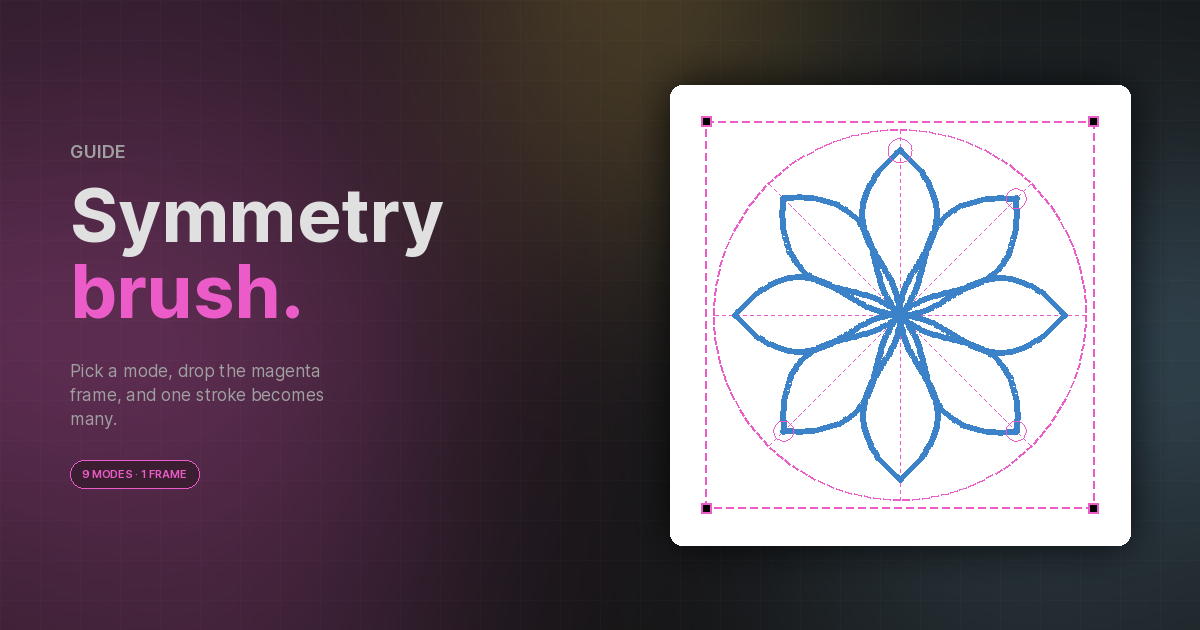
The Paint tool's Symmetry section turns one brush stroke into many. Pick a mode, position the magenta frame on the canvas, and every dab you make is replicated according to the mode's rules. A faint dashed circle follows your cursor at every echo position so you can see the result before you commit.
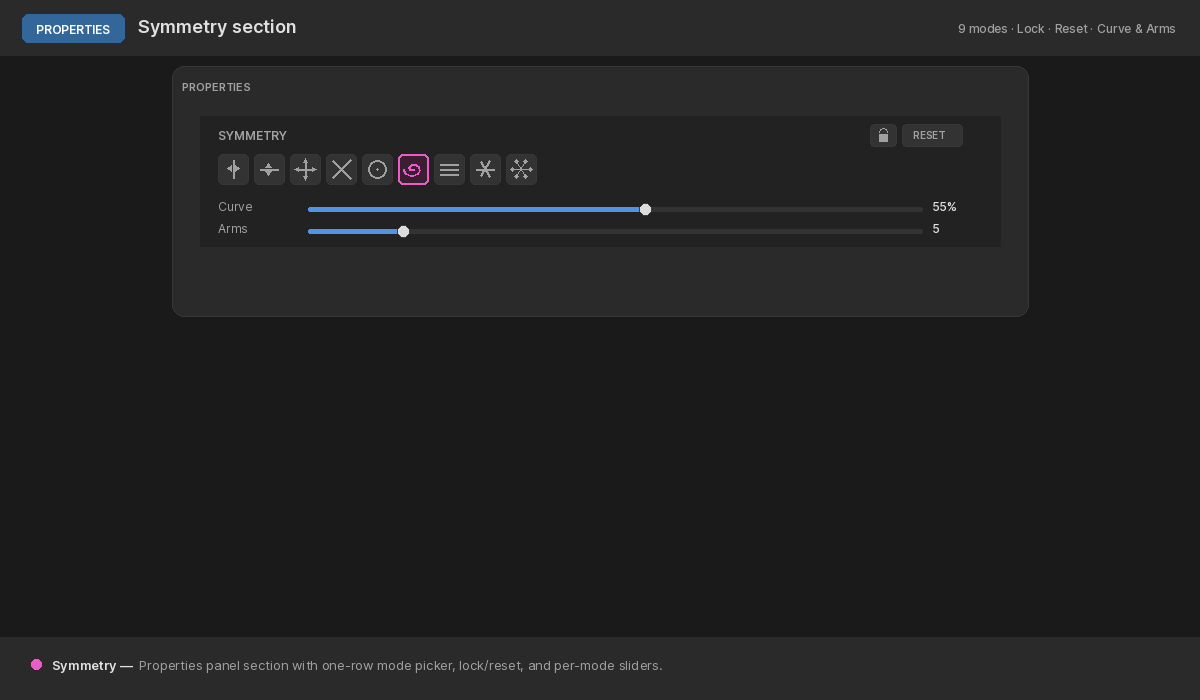
Open the Paint tool (B) and look for the Symmetry
section in the Properties panel — nine icon buttons across one row, with
the lock and reset controls in the top-right corner.
The frame
Whenever a mode is active, a magenta dashed rectangle appears on the canvas. The frame is your symmetry's anchor — its centre, scale, and rotation determine where strokes get mirrored, rotated, or stamped.
While the frame is unlocked:
- Drag the centre dot to move the frame.
- Drag a corner square to scale (uniform, anchored on the opposite corner).
- Drag just outside the frame to rotate.
- Click anywhere else inside the frame to paint normally — the body falls through to the brush, so you don't have to leave the symmetry area to make a stroke.
The lock button (icon in the top-right) freezes the frame so it can't be moved, scaled, or rotated. The Reset button next to it returns the frame to a centred, document-fit position with zero rotation — mode and per-mode parameters are preserved.
The nine modes
Vertical & Horizontal
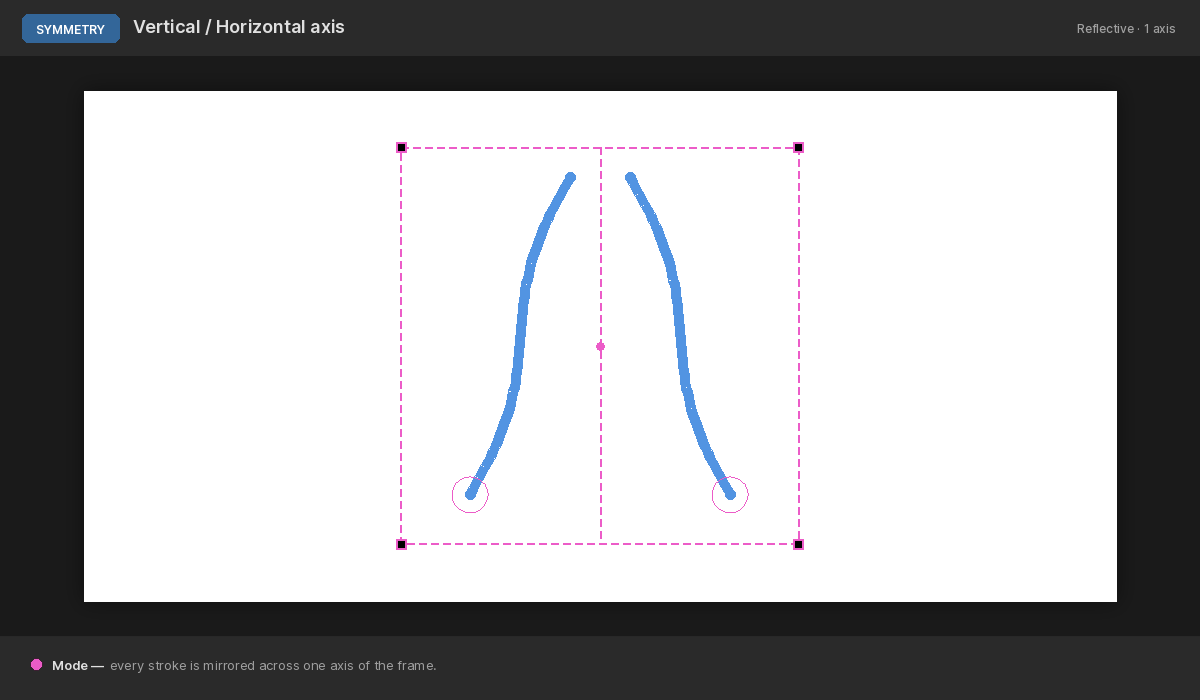
The simplest pair. A single mirror across the frame's vertical or horizontal axis. Every stroke is duplicated as its reflection on the opposite side. Great for symmetric portraits, butterflies, and any two-sided design.
Dual Axis
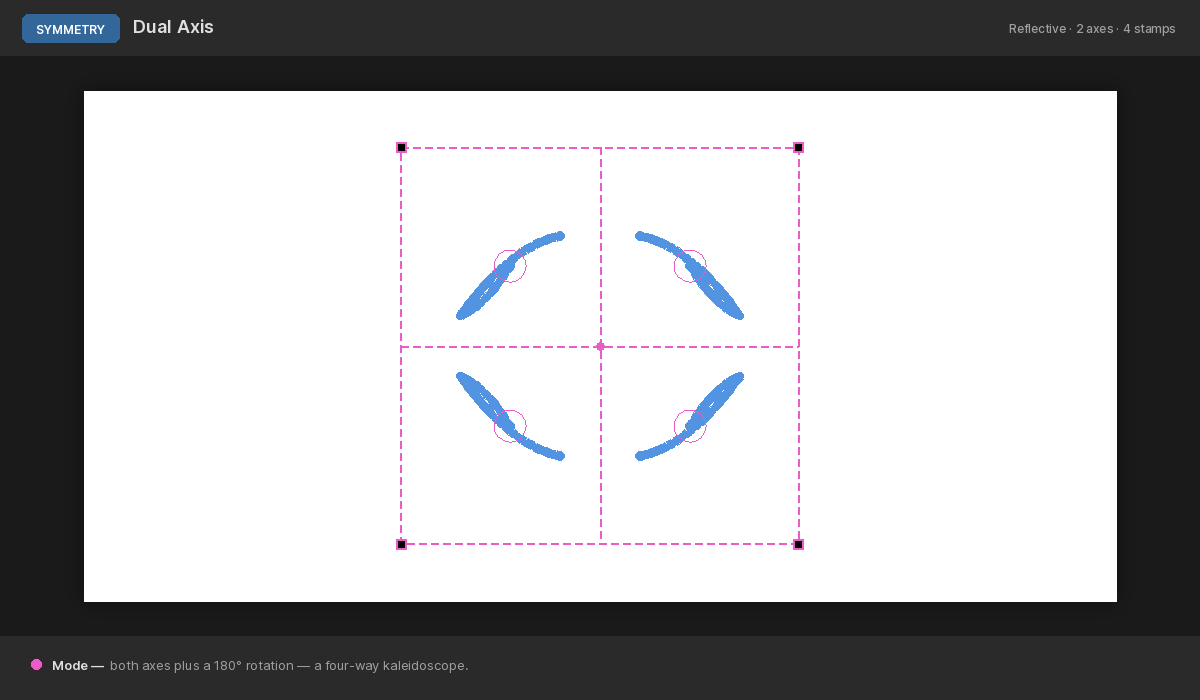
Both axes at once, plus a 180° rotation — a four-way kaleidoscope. One stroke becomes four mirrored copies. Use it for crosshair-style icons or anything that needs four-fold symmetry.
Diagonal
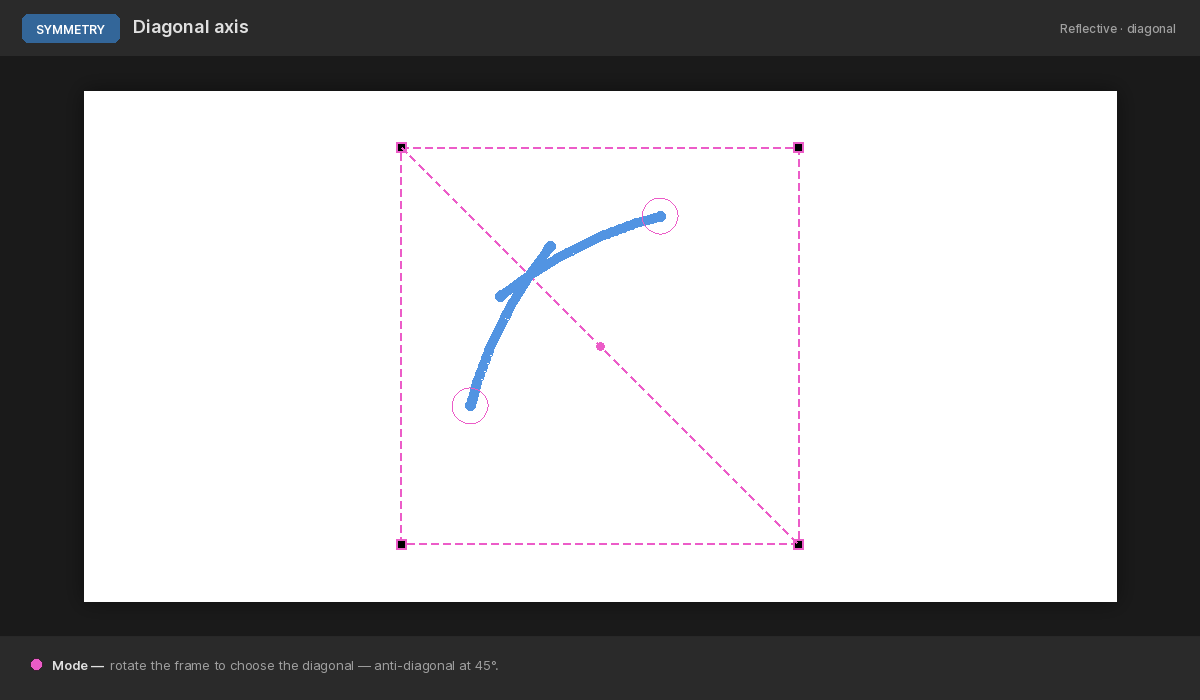
Mirrors across the frame's diagonal axis. Rotate the frame to control which diagonal — a 45° rotation gives you the anti-diagonal.
Parallel Lines
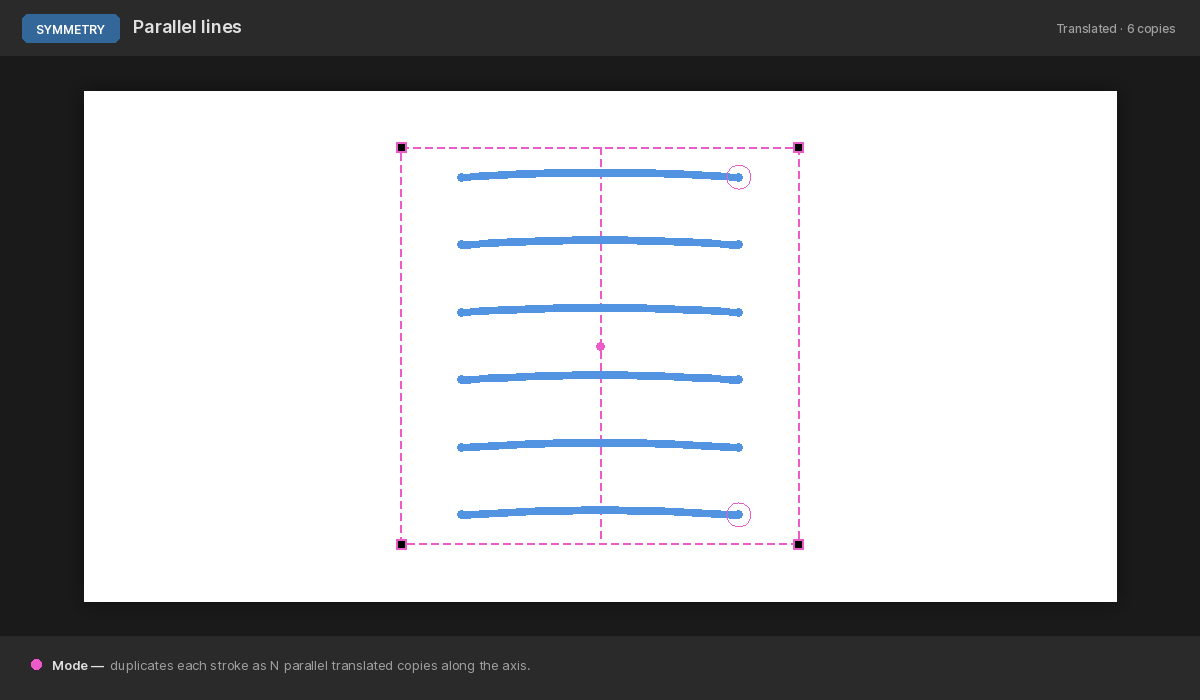
Duplicates each stroke as N parallel translated copies along the vertical axis. The Lines slider sets the count (2–32). Resize the frame's height to spread or tighten the spacing.
Use it for sheet-music staves, tally marks, or dotted-line texture brushes that lay down many parallel marks per stroke.
Radial
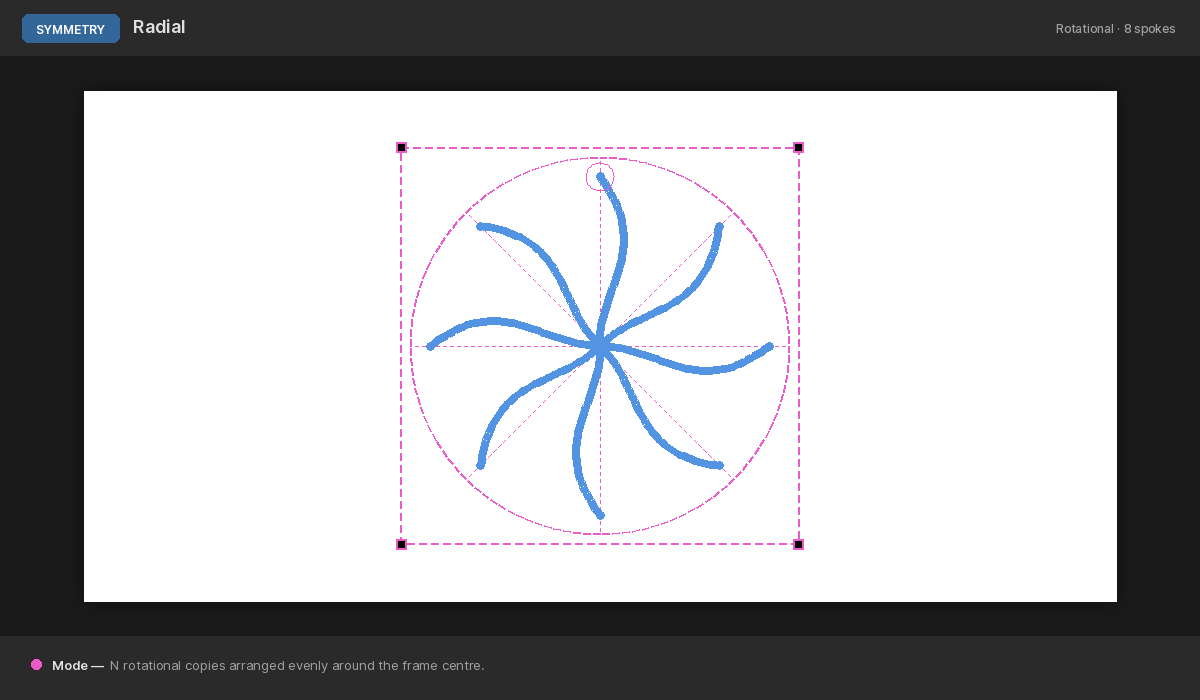
N rotational copies arranged evenly around the frame's centre. Drives mandala-style flower patterns, gear teeth, and clock-face markings. The Lines slider controls how many spokes (2–32).
Mandala
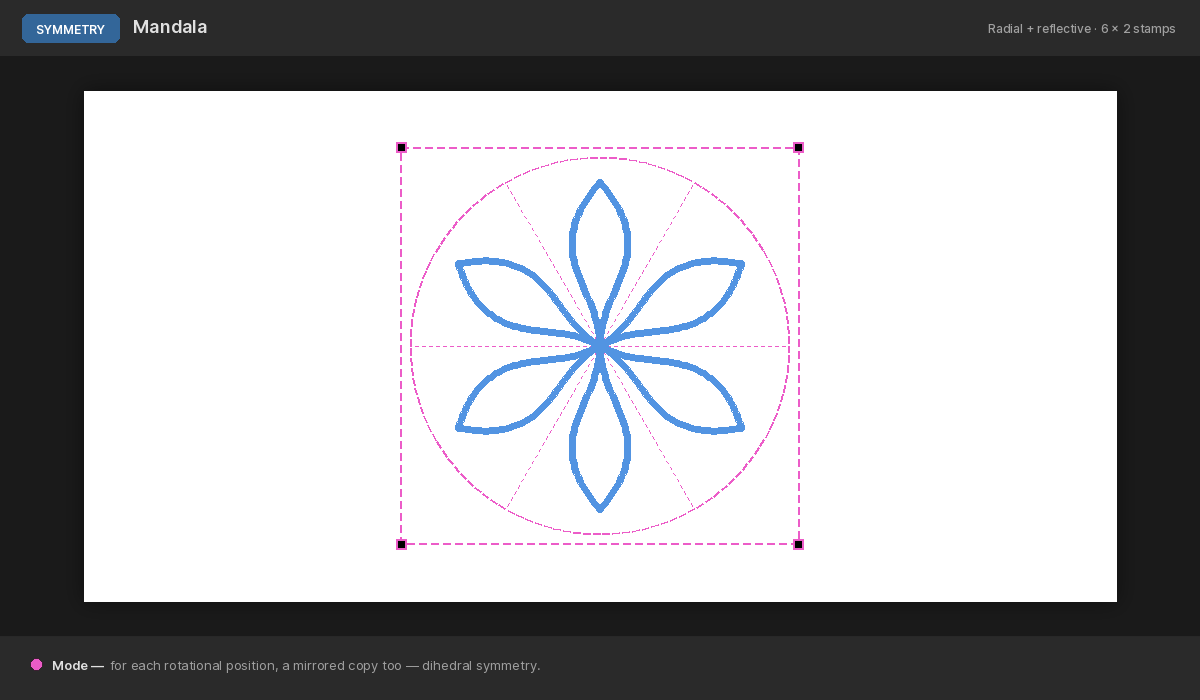
Radial plus reflective symmetry. For each of N rotational positions, you also get a mirrored copy — so a single stroke produces 2N stamps. The dihedral-group symmetry behind every classical mandala.
Circle
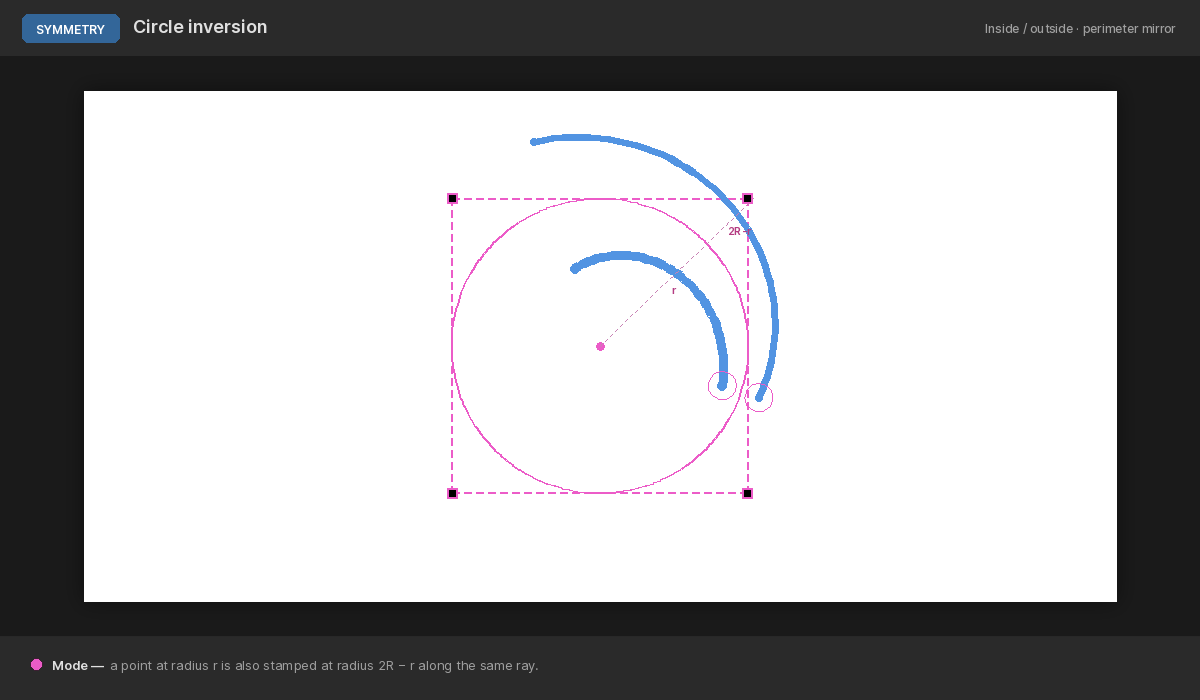
Paint is mirrored across the perimeter circle. A point at distance r from the centre is also stamped at distance 2R − r on the same ray, where R is the perimeter radius. Inside ↔ outside, with the circle as the mirror line.
Try drawing inside the circle — the stroke also appears outside, scaled and reversed about the perimeter. Drawing across the perimeter line is a fixed point (a stroke right on the circle is just stamped once).
Spiral
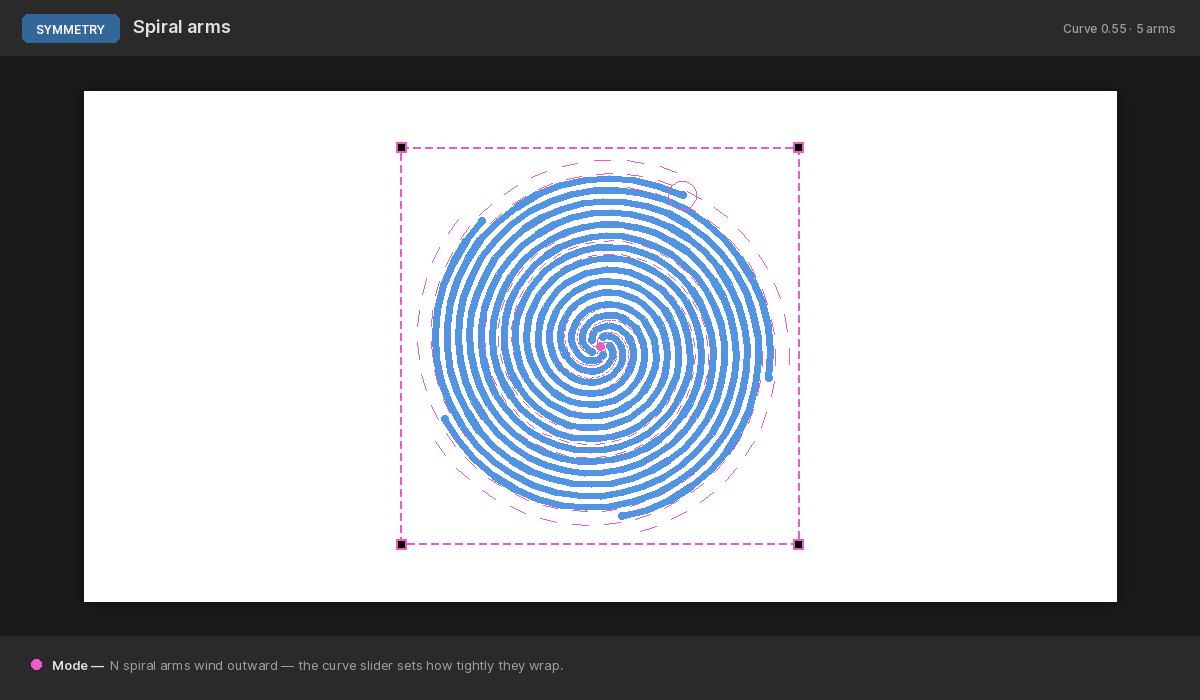
N spiral arms wind from the frame centre outward. Each input dab is warped along its arm based on its distance from the centre.
- Curve — how tightly the arms wind. At low values the arms are nearly straight spokes; at high values they wrap multiple full turns inside the frame. The on-canvas frame guide always reflects the live curvature so you can preview the shape.
- Arms — how many spiral arms (1–32). With a single arm, your stroke is also mirrored across the arm so paired curves trace either side of the spiral — perfect for galaxy/whirlpool brushwork.
Tips
- Echoes preview. The dashed magenta circles at each cursor echo show where the brush will stamp. Use them to plan a stroke before pressing the mouse button.
- Stencils & selections still apply. Every echo respects the same mask the user's stroke does, so you can constrain a radial pattern to a specific region with the Stencil tool.
- Erase honours symmetry. Press
0to toggle erase mode and your eraser strokes will also be mirrored — handy for cleaning up errant echoes without disabling the mode. - Lock before painting on top of a finished design. Once the layout is right, lock the frame so accidental drags don't shift it mid-stroke.
- Combine with the lock toggle on layers. Symmetric strokes paint into the active bitmap layer like any other paint stroke — lock the layers you don't want disturbed.
Symmetric brushwork is a fast way to get from a blank canvas to a detailed pattern with a few strokes. Combine spiral with curvature for flow-art motifs, mandala for ornamental borders, and circle for disorienting inside/outside studies.