

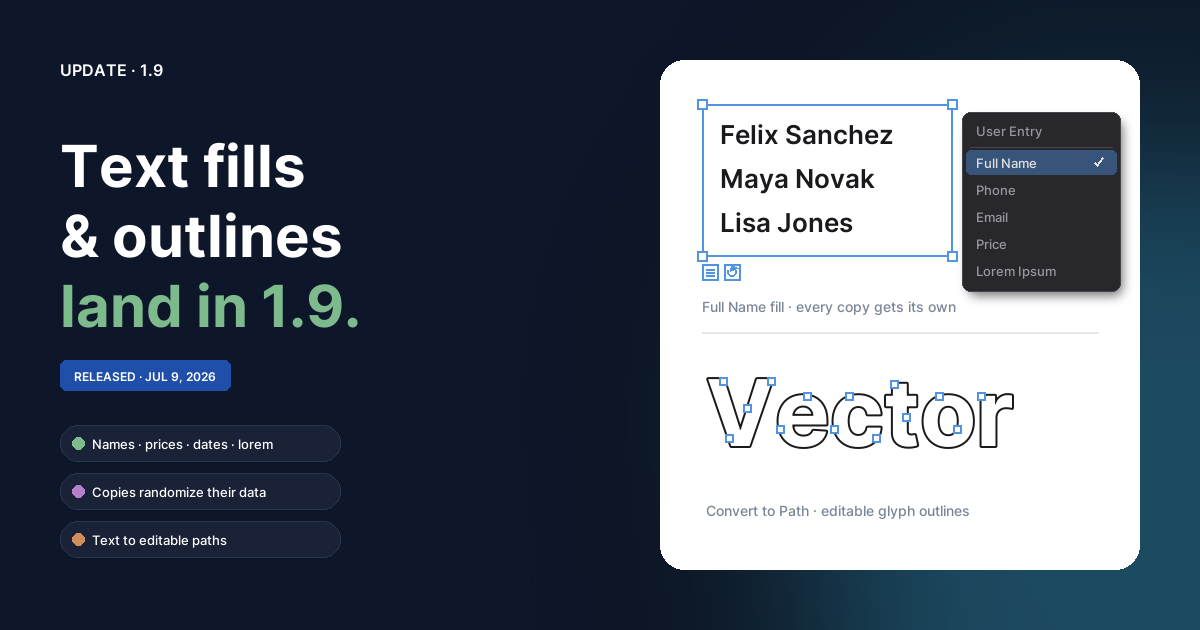
Fill text with real-looking content
Every text object can now be bound to a content fill — a generator that writes realistic placeholder content so a mock layout stops reading as "Text Text Text". Three ways to set one:
- the Fill dropdown in the Text section of the Properties panel,
- the list chip that sits just under a selected text frame — once a fill is active a ↻ reload chip appears next to it,
- right-click → Text Fill, which also works on text-on-path.
Generators cover people (full / first / last name, username, email, phone, job title, company), places (full address, city, state, zip, country), dates & times, numbers (price, number, percentage, rating), and text (URL, readable paragraph, lorem ipsum). Hit ↻ any time for a fresh value. The widget stays clickable while you're typing in the box, and the moment you edit a filled text object yourself it detaches back to plain User Entry text and stops auto-updating.
Copies bring their own data
Duplicate, copy/paste, or Alt-drag a filled text object and
every copy generates its own content instead of repeating the
original. Need a roster, a price column, or a fake inbox? Fill one box,
duplicate it nine times, done — ten different names.
Lorem & Paragraph fit the frame
The two long-form fills don't paste a fixed blob — they pack words to fill the frame and re-fit whenever it's resized (or refit a text-path when its start/end handles slide). Lorem Ipsum speaks classic Latin; Paragraph is readable English for comps where clients read the filler.
Convert text to paths
Modify → Convert to Path (Ctrl+Shift+P) now works on text:
it replaces a text object with a group of bezier paths — one compound
path per letter, built from the font's actual glyph outlines, placed
exactly where the text rendered. Kerning, ligatures, and contextual
letterforms carry over, synthesized bold/italic included, and underlines
arrive as their own bars. The group inherits the text's opacity, blend
mode, and filters; each letter keeps the fill and stroke.
Outlined letters are ordinary paths: reshape them with Subselect, cut them with the Knife, merge them with Combine, or clip images into them. It also makes files font-independent — outlined text renders identically on machines without the font. Keep an off-canvas copy if you might need to re-edit the words.
Text frames grew up
- Fixed-height frames — drag-creating a text box now keeps the height you drag. Overflowing lines clip to the frame and a red ⊞ badge below the selection warns about cut-off text (editor-only, never exported). The Auto / Fixed toggle switches back to hug-the-text behavior.
- Vertical alignment — top / middle / bottom, right next to the horizontal alignment buttons.
- Smarter scaling — corner handles scale the type itself (the corner stays glued to your pointer), side edges re-wrap at a new width, and top/bottom edges pin the frame height. Text inside a scaled group scales its type along with everything else.
Misc
- Help updated: Text & Fonts covers frames, resizing, and content fills; Text on Path covers fills on curves.
- Text placeholders are no longer the literal word "Text" under the hood — typing the word "Text" into a box no longer makes the editor treat it as untouched placeholder.